











AdReject for Windows
- Free
- 4.7
- 4
- V1.0.6
Free Download for Windows
View an ad to download for free

- AN Soft
Black Ads. Stop Trackers.
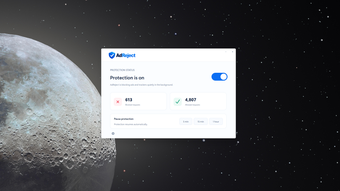
Enjoy a cleaner, faster browsing experience by removing ads system-wide on your Windows PC. AdReject keeps intrusive banners, pop-ups, and autoplay videos out of your way so you can focus on what matters — content, not interruptions.
Ads slow pages, eat bandwidth, and often track what you do online. Most ad blockers only work inside a single browser and rely on extensions you have to install and manage. AdReject solves that by blocking ads across every browser on your machine without installing browser extensions, so once it’s running you get consistent protection everywhere.
- Blocks ads on all browsers — AdReject filters ad requests at the system level, so you won’t see ads whether you’re using Chrome, Edge, Firefox, or any other Windows browser.
- Does not decrypt HTTPS traffic — Your secure connections remain private; AdReject blocks ad domains without intercepting or inspecting encrypted content.
- Stops trackers — The program prevents common tracking domains from loading, helping reduce cross-site tracking and improving your online privacy.
- Automatically updates filter lists — AdReject keeps its blocklists current so you don’t have to. New ad servers and tracker domains are added automatically.
What makes AdReject different is its system-wide approach. Instead of being tied to one browser’s extension framework, it filters traffic for the whole operating system. That means you don’t need to worry about installing separate extensions, keeping them updated, or losing protection in a secondary browser. Because AdReject doesn’t decrypt HTTPS, it avoids the privacy and security trade-offs that some network-level blockers make — you get fewer ads and less tracking without compromising secure connections.
AdReject is also low-maintenance. With automatic filter updates and no per-browser setup, it’s a set-and-forget solution that still adapts as ad networks evolve. The tracker-blocking capability further reduces the amount of personalized advertising and data collection you’re exposed to, making browsing faster and a bit more private.
This tool is ideal for everyday PC users who want a smoother web experience without dealing with multiple browser extensions. It’s great if you use several browsers, share a machine with others, or just want a single solution that works across your apps. If you value speed, simplicity, and a consistent ad-free experience on Windows, AdReject fits neatly into your workflow.
Easy to use, respectful of secure connections, and effective across browsers, AdReject gives you a streamlined way to cut out ads and trackers without extra setup. Install it, relax, and enjoy a cleaner web on your Windows PC.
Loading…
App specs
Developer
- AN Soft
License
Free
Version
1.0.6
Latest update
Platform
Windows
OS
Windows 11
Language
English
Downloads
4
Last month's downloads
- 4
Size
467.85 KB
AdReject for PC
- Free
- 4.7
- 4
- V1.0.6
Free Download for PC
View an ad to download for free
User reviews about AdReject
Have you tried AdReject? Be the first to leave your opinion!
Add reviewTop downloads Ad Blockers for Windows
Top downloads Ad Blockers for Windows
Top downloads Ad Blockers for Windows
Latest articles

Henry Cavill’s Mustache Protocol launches this month for men’s health

Nintendo doesn’t plan to raise the price of the Switch 2 despite the component shortage

Google Earth now has a new Play Store icon: subtler and more modern

BlueFlag Security’s 2026 report: 99% of repository tokens never expire

Unity is reportedly in early buyout talks: Saudi Arabia’s PIF and Silver Lake involved
Laws concerning the use of this software vary from country to country. We do not encourage or condone the use of this program if it is in violation of these laws. Softonic may receive a referral fee if you click or buy any of the products featured here.